Guide · 03
Browse and search
Six views of the same library, a search that forgives typos, playlists, radio, ratings and favourites.
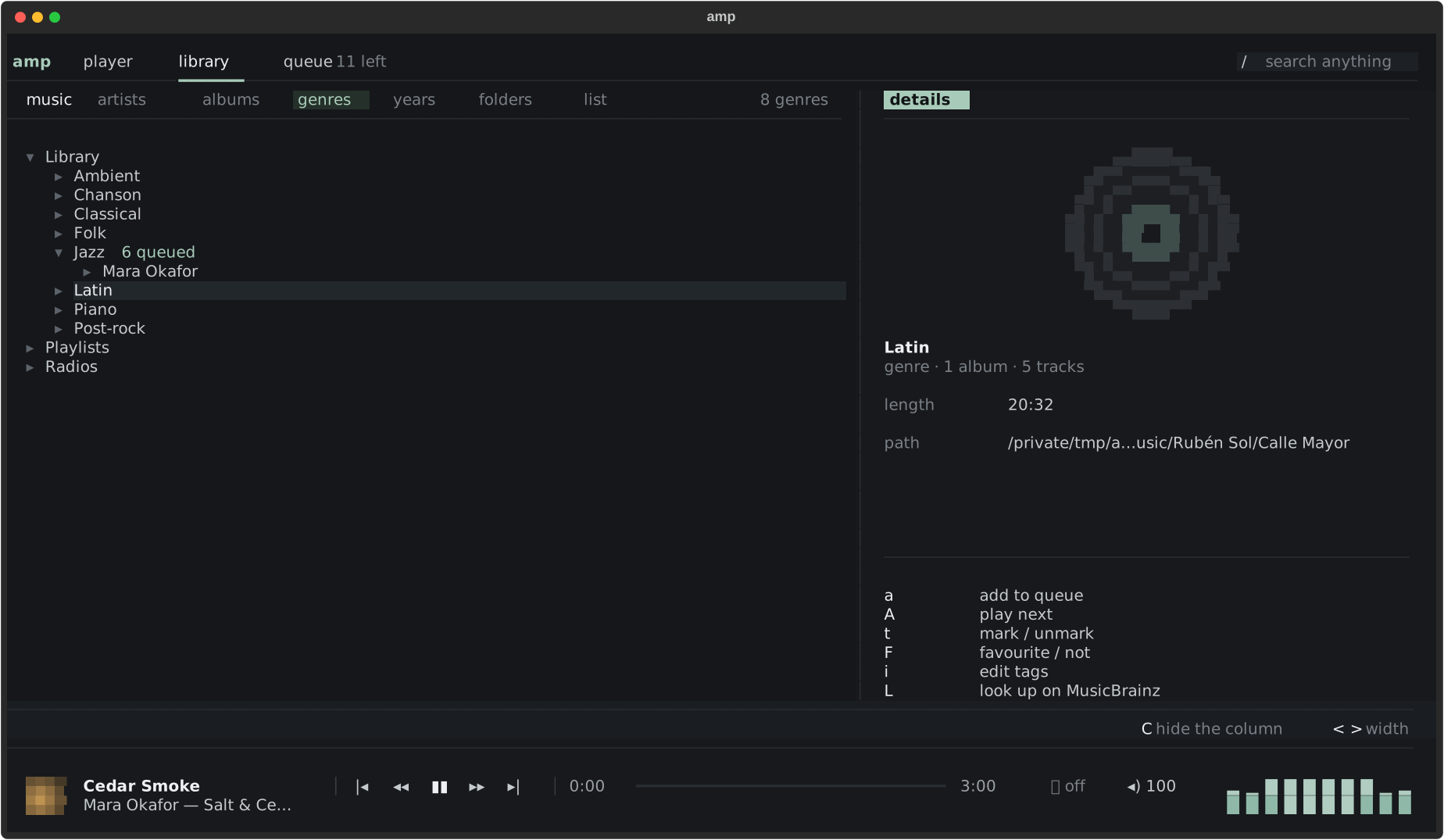
Six views
Press v to change how the library is arranged, or click a view’s name above the tree:
- artists — then their albums;
- albums — with covers in the details column;
- genres — a track tagged
pop; rockappears under both; - years;
- folders — exactly as on disk;
- list — every track in sortable columns, ratings included.
Compilations — one folder, several artists — are gathered under Various Artists rather than scattered. Next to the library, the same tree holds your Playlists and the Radios.
The column on the right shows the details of what is under the cursor: tags, format, the cover, the path (click it to copy). C hides it, < and > make it narrower or wider.
Search
/ opens one box over everything: artists, albums, tracks, playlists, radios — and actions. It forgives typos: “bjork” finds Björk, “radihead” finds Radiohead.
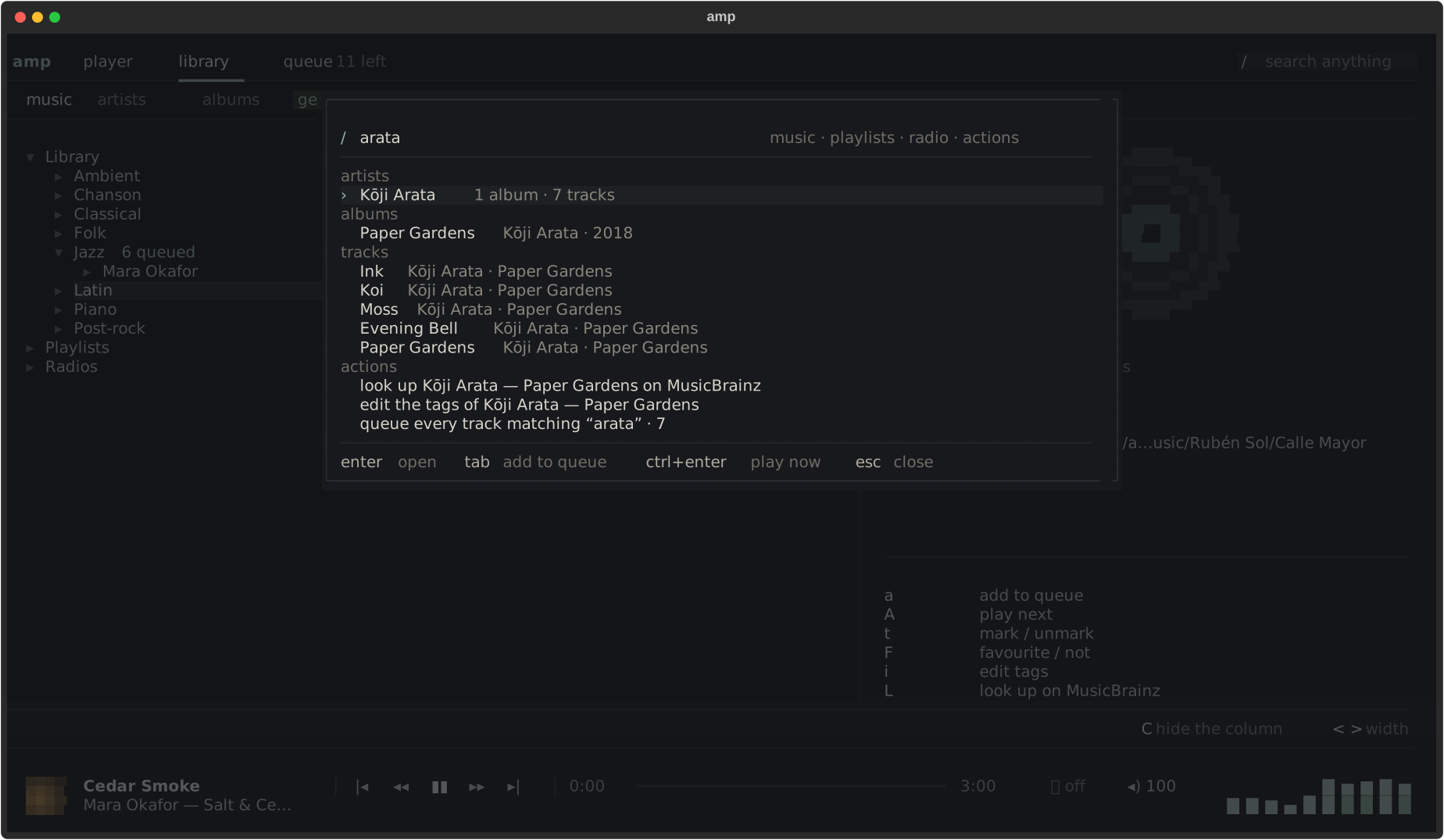
In the results, enter opens, tab adds to the queue, ctrl+enter plays now.
Ratings and favourites
- F makes the selection a favourite (or no longer).
- * gives it one more star; past five, none.
:rate 4sets it directly.
The list view’s Rating column sorts the best first. Ratings live in amp’s own index: your files are not touched.
Marks
t marks a track or an album, to act on several at once — queue them, tag them. T clears the marks.
Playlists
amp reads .m3u, .m3u8, .pls and .cue files found in your libraries. To save the queue as a
playlist, press w or type :w my evening. Open one from the shell with
amp mix.m3u8.
Web radio
Press o for the radios, sorted by country. While a station plays, the song on air shows
in the player bar. ctrl+r records the station as it is broadcast, into
~/Music/amp recordings by default.
Add your own stations in radios.toml, beside config.toml:
[[station]]
name = "FIP Jazz"
url = "https://icecast.radiofrance.fr/fipjazz-hifi.aac"
country = "FR"
amp fetches no directory from the network: the list is what you chose.