Guide · 05
Sound
The ten-band equalizer, speed and pitch, fades, ReplayGain and a visualizer that listens.
Equalizer
Press e. Ten bands from 31 Hz to 16 kHz, thirteen presets, a preamp that keeps the loudness even, and a limiter so nothing clips.
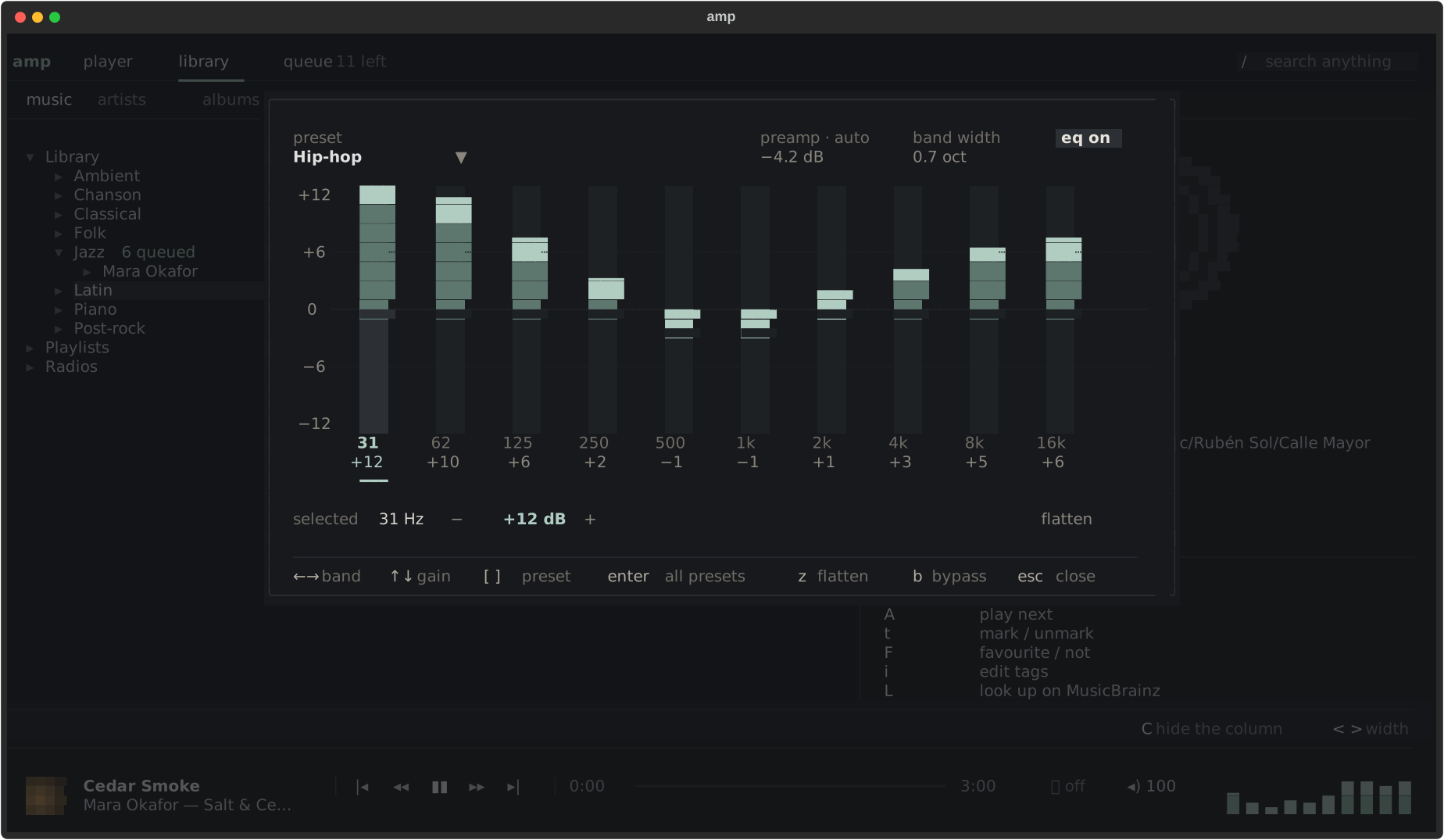
| Key | Does |
|---|---|
| ← → | choose a band |
| ↑ ↓ | raise, lower it |
| [ ] | previous, next preset |
| enter | all the presets |
| z | flatten |
| b | bypass, to compare |
The mouse works too: drag a fader, or scroll over it.
Speed and pitch, apart
. and , change the speed (0.5 to 2×) without changing the pitch; k and j change the pitch (±12 semitones) without changing the speed. z puts both back. Useful to learn a part, or for a podcast.
Volume
+ and -, m to mute. Click the ◂) chip in the player bar for a
slider. The volume goes up to 150 % for quiet recordings.
Fades and ReplayGain
Under [player] in config.toml, or in the settings (O):
[player]
fade = true                 # a short fade on pause, stop and skip
replaygain = "album"        # off, track or album
ReplayGain evens out loudness between albums using the tags most rippers already write.
Visualizer
The player tab (W) draws the actual audio, measured fifty times a second — not an animation that pretends.