Guide · 04
The queue
A queue that keeps albums together, shuffles without losing its order, and comes back where you left it.
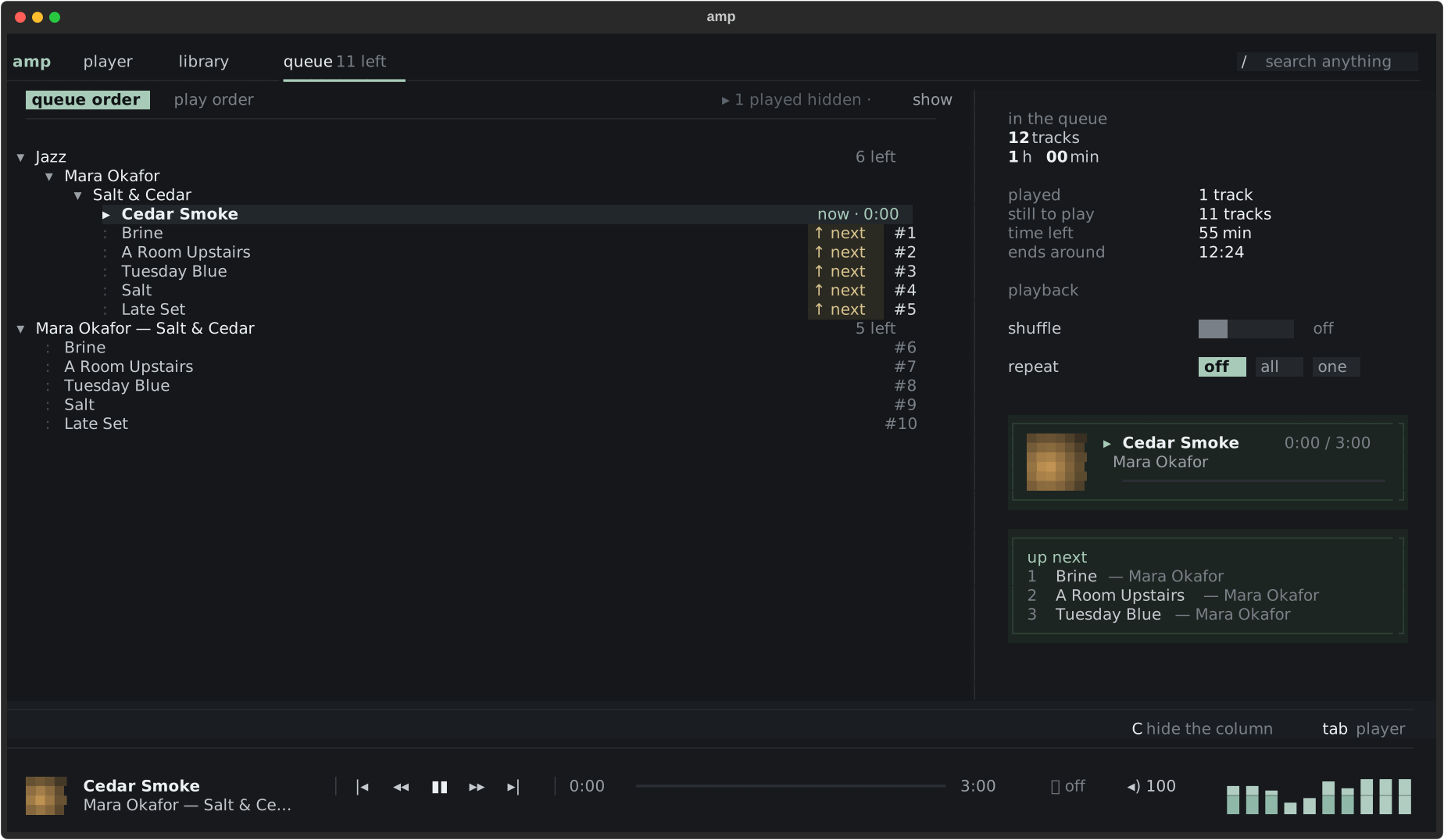
Albums stay albums
Add an album or an artist (a), and it stays one group in the queue: fold it, move it,
remove it whole from its header. A adds the selection to play next — it is pinned,
marked ↑ next, ahead of everything else.
Shuffle, without losing the order
Shuffle (s) is a separate play order: the queue itself keeps its order. Press B to see one or the other, b to show or hide what was already played; f reshuffles what is left. Repeat (r) goes off, all, one.
Tidying
| Key | Does |
|---|---|
| K J | move up, down |
| d | remove |
| X | clear the queue |
| P | clear what was played |
| g | show this track in the library |
The side column sums it up: tracks, time left in play order, and when it will end.
It comes back
Quit, restart the computer: the queue, its groups, the position in the track and the modes come back
as they were. Turn it off with restore_session = false under [player].